
Pixel 4D™ Live Wallpapers
TarrySoftPersonalization
4.712.93K Reviews
- Version
- 3.4.6
- Installs
- 50.00M
- Age Rating
- Everyone
Screenshots
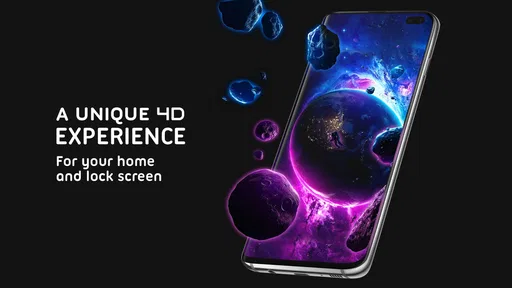
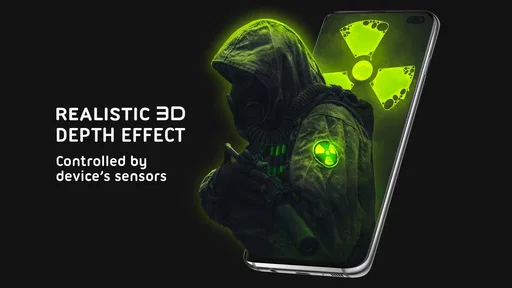
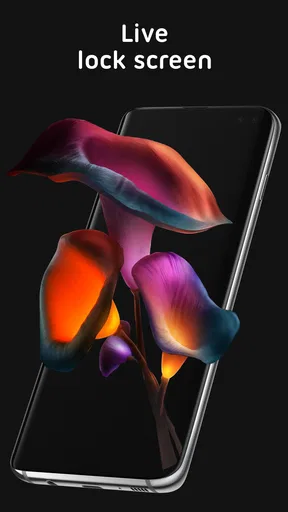
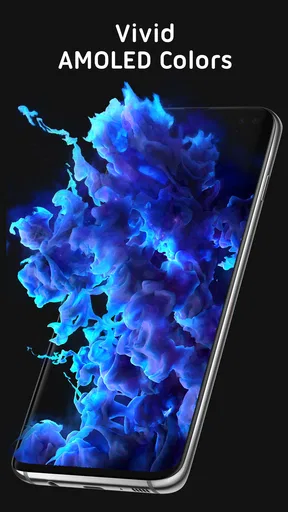
Our Review of Pixel 4D™ Live Wallpapers
 Analysis by Appyee
I think a live wallpaper earns its place on my phone only if it adds a little enjoyment without making everyday use feel fussy. Pixel 4D™ Live Wallpapers is built around that simple idea: choose a moving scene, give it a bit of depth, and make the screen feel more personal than a static background. The effect is most noticeable when I tilt the phone, but the real test is whether I still enjoy seeing it during ordinary moments—checking a message, glancing at the time, or unlocking the screen between errands.
What the app is like to use now
This is a personalization app from TarrySoft, and its focus is easy to understand: animated backgrounds with a parallax effect, including HD and 4K visuals. It is free to install, rated for Everyone, and the current version is 3.4.6. The app has a 4.7 average from around 1.1 million ratings, with over 50 million installs. Those numbers suggest broad appeal, though they do not tell me whether a particular wallpaper will suit your taste or how it will feel on your phone.
The experience is best approached as a visual choice rather than a long setup project. I would browse with a specific mood in mind—quiet, dramatic, playful, or futuristic—then preview a few options before committing. A wallpaper that looks impressive in a gallery can feel too busy behind app icons, so checking the actual screen composition matters more than choosing the most elaborate thumbnail.
How to judge the motion before committing
The defining detail is the layered movement: as the device shifts, foreground and background elements appear to move at different depths. That can make a scene feel dimensional without turning it into a full-screen animation that demands attention every second. The effect is most convincing when the artwork has a clear subject and enough separation between layers. If a design is crowded or full of tiny details, the movement may be harder to appreciate at a glance.
I would also think about where the wallpaper will be seen most. A lock screen is a natural showcase because you pause there briefly, while a home screen has to coexist with icons and widgets. If you use a lot of shortcuts, a darker or less detailed image can be easier to live with than a bright, busy one. That is a small selection choice, but it has more impact on day-to-day comfort than the novelty of motion alone.
How the version history affects expectations
The app was released on February 13, 2018, and its current version is 3.4.6. That establishes a long-running product with an identifiable present-day release, but I would not treat the version number as proof of a particular recent redesign or a specific new feature. For someone already using it, the practical point is to judge the version installed on their own device: if the gallery, previews, and wallpaper controls work as expected, there may be no reason to change a familiar setup simply because a newer version exists.
For a new user, the same distinction is useful. A mature app can feel reassuring, but the number alone does not predict how every design will look on a particular screen. I would start with one wallpaper, check the crop and motion in normal use, and only then spend time exploring more of the collection. That makes it easier to tell whether the current experience fits your phone and your habits.
Where it fits—and where it does not
Pixel 4D is a good fit for someone who enjoys changing the look of a phone and wants more than a still image, especially if subtle motion is part of the appeal. It is less compelling for anyone who prefers a plain background, wants every pixel reserved for icons and text, or finds animated visuals distracting. A carefully chosen static wallpaper is the better option when clarity and consistency matter more than movement.
The app is free to download, with in-app purchases ranging from $0.49 to $99.99 per item. I would browse and decide what I actually want before making a purchase, rather than assuming every design or option is included at no cost. The broad price range also makes it sensible to check the price shown for an individual item before confirming anything. On a device running Android 8.0 or later, it meets the stated minimum operating-system requirement.
Getting Started with Pixel 4D™ Live Wallpapers
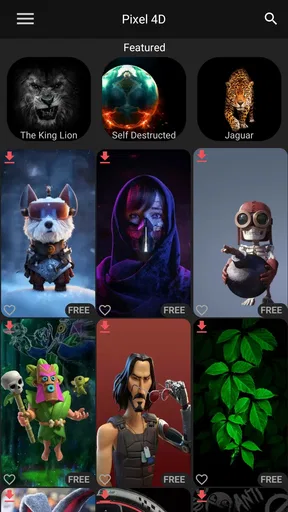
Installing the app is a breeze. Just head over to the App Store or Google Play Store, hit download, and you’re ready to roll. The app’s interface is pretty intuitive, which is always a plus. When you open it, you're greeted with a gallery of vibrant and interactive wallpapers. It’s like walking into a digital art exhibition, only you get to take the art home.
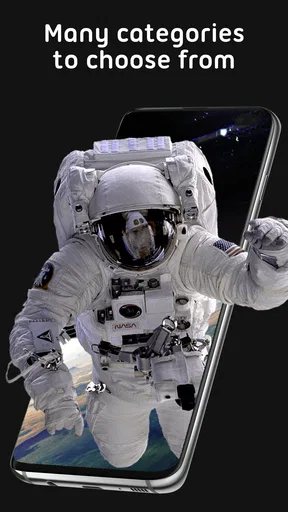
One of the first things I noticed is how the wallpapers are categorized. You’ve got everything from abstract patterns to stunning landscapes and even some quirky animations. There’s something for everyone, whether you’re into nature, tech, or just want something that looks like it belongs in a sci-fi movie.
The Fun Part: Choosing Your Wallpaper
Now, here’s where the magic happens. Each wallpaper has a 4D effect, meaning it moves as you tilt your phone. It’s not just about looking good; it’s about creating an immersive experience. I went for a galaxy-themed one because, who doesn’t love a good space vibe? As I tilted my phone, the stars and planets shifted, giving it a depth that static images just can’t compete with.
Setting a wallpaper is as simple as tapping a button. The app gives you a preview of how it’ll look on your screen, which is a nice touch. Plus, if you’re feeling fancy, you can set different wallpapers for your lock screen and home screen. Double the fun!
Customization and Features
Pixel 4D™ Live Wallpapers doesn’t just stop at providing you with eye-catching designs. There’s a customization option that lets you tweak the speed and intensity of the effects. Want a slow, calming drift? Or maybe a fast-paced swirl? You’re in control.
The app also boasts a battery-saving feature, which is crucial for those of us who are glued to our phones all day. The wallpapers pause when your phone is in sleep mode, ensuring they don’t drain your battery unnecessarily. It’s a thoughtful touch that makes the app more practical for everyday use.
What to expect during a normal day
A realistic test is a busy morning: I might unlock my phone to check a calendar reminder, answer a message, then set it down while I make coffee. In that kind of routine, the wallpaper is a brief accent, not something I want to manage repeatedly. I’d choose a design that stays legible behind the clock and notifications, then leave it alone for several days. If I still like the look after the novelty wears off, it has earned its spot.
There is also a useful trade-off in how often to change scenes. Switching frequently keeps the phone feeling fresh, but it can turn browsing into a small chore and make it harder to settle on a layout. I prefer treating the gallery like a wardrobe: keep one dependable background for everyday use and try a more vivid choice when I want a change. That approach helps separate an appealing preview from a design I genuinely want to see dozens of times a day.
Choosing a wallpaper that works with your layout
Before applying a design, I would check where the main subject sits relative to the clock, widgets, and app rows. A striking central object may be partly covered once the home screen is populated, while a scene with open space can make icons easier to scan. Previewing both lock and home screens is particularly worthwhile if you plan to use different images: the two displays have different jobs, so matching them is not always better than choosing complementary designs.
Motion settings are worth approaching gradually. I would begin with a restrained speed and intensity, use the phone normally, and increase them only if the movement feels too subtle. Stronger motion can make the depth easier to notice, but it may also compete with whatever I am trying to read or tap. The best setting is not necessarily the most dramatic one; it is the level that remains enjoyable after repeated unlocks.
How it compares with simpler alternatives
Compared with a standard still wallpaper, Pixel 4D offers a more animated, dimensional look and gives you controls over the movement. That makes it a better match for someone who wants a screen with a little life. A static image remains the simpler choice for people who value a completely quiet background, or who want to set an image once and never think about it again. The difference is not that one is universally better; it is whether movement adds pleasure or distraction to your own routine.
It also occupies a different niche from a launcher or a full theme. A wallpaper changes the background, while a launcher can alter how icons, menus, and other parts of the home screen behave. If your goal is to reorganize the whole interface, this app is not a replacement for those tools. If you mainly want a visual change without rebuilding your layout, a wallpaper-focused approach is more direct and easier to reverse.
Who should try it, and who may prefer something else
I would recommend trying it if you like visual customization, enjoy depth effects, and are happy to spend a few minutes comparing designs. It is especially suited to people who want their lock screen to feel more expressive without changing the way they use the phone. The large audience—more than 50 million installs—shows that this style has wide appeal, but personal taste still matters more than popularity.
I would skip it if movement bothers you, if you rely on a very clean background for reading icons, or if you do not want to browse optional paid items. People who want one quiet image with no animated layer will be better served by choosing a still photo or a built-in background. Likewise, someone seeking a complete interface makeover should look at a broader personalization tool rather than expecting a wallpaper app to change every part of the phone.
Small checks that prevent frustration
Before settling on a design, I would check its fit on the actual device rather than assuming the preview tells the whole story. A crop that looks balanced in a browsing screen may place the focal point awkwardly once applied. I would also test the wallpaper with the usual widgets and notification layout in place, since an attractive image can become visually crowded when real screen elements cover it.
If a scene feels wrong after a day, changing it is a reasonable outcome, not a failed setup. The point of a personalization app is to make the phone feel more like yours, and preferences can shift once you see a design in everyday lighting and at different angles. I would keep purchases deliberate, too: first work out whether the visual style and motion suit you, then consider paying for a particular item only if it solves a clear preference.
Why You’ll Love It
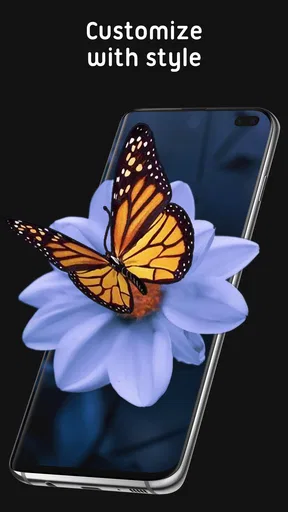
What I really appreciate about Pixel 4D™ Live Wallpapers is how it transforms your phone into a personal canvas. Each time you unlock your phone, it feels like a mini escape into a vivid world of colors and movement. It’s those little moments of delight that make this app worth having.
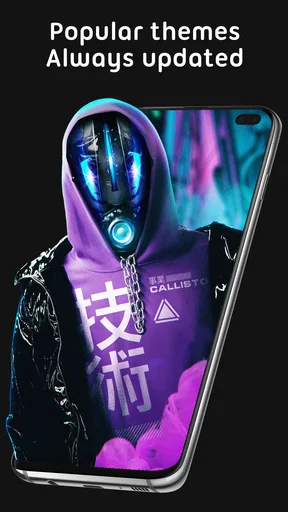
Moreover, the app gets updated frequently with new designs, so there’s always something fresh to explore. Whether you're a minimalist or someone who loves bold and bright, there’s a high chance you’ll find something that resonates with your style. It’s like having a new phone every time you change the wallpaper.
What I would keep an eye on
For existing users, the practical question is whether a new release changes something they rely on, such as how their chosen image appears or how the motion feels. I would check the version after updating and take a moment to confirm the wallpaper still suits the lock and home screens. For someone considering a first install, I would watch for a smooth preview-and-apply routine and for clear choices when an item involves an in-app purchase. Those are the details that affect confidence more than a headline feature.
The app’s stated minimum is Android 8.0, which gives compatible Android users a clear starting point. I would still judge the result on the phone in hand: display size, icon arrangement, and personal sensitivity to movement can all change how a design comes across. Expectations should stay grounded in what the app currently offers, rather than assuming that a higher version number means a particular change or that every future update will suit every user.
Wrapping Up: My Final Thoughts
All in all, Pixel 4D™ Live Wallpapers is more than just a visual treat. It’s about adding a touch of personality and flair to your everyday device. Sure, some might say it’s just a wallpaper, but when done right, it becomes a conversation starter, a mood lifter, and a personal expression.
If you’re someone who loves to stand out and appreciates well-crafted visuals, give this app a try. It’s a simple way to bring some excitement and uniqueness to your smartphone experience. So go ahead, download it, and let your phone’s background do the talking.
Verdict
Strengths of Pixel 4D™ Live Wallpapers
- Stunning 3D effects enhance home screen aesthetics.
- Variety of themes to suit different moods.
- Interactive wallpapers respond to device motion.
- Lightweight app with minimal battery drain.
- User-friendly interface for easy navigation.
Limitations of Pixel 4D™ Live Wallpapers
- Limited free options; premium purchase required.
- Occasional ads may disrupt user experience.
- May not support all older device models.
- Some wallpapers require frequent updates.
- Customization features are somewhat limited.
Other Releases by TarrySoft
View All
Wallpapers HD - Backgrounds 4K
Personalization4.8

Photo Collage Maker & Editor
Photography4.7

Video Compressor & Converter
Video Players & Editors4.5

Cleaner - Clean Phone & VPN
Tools4.6
Similar Picks in This Category
View All
Microsoft SwiftKey AI Keyboard
SwiftKey4.3

Wallpapers
Google LLC4.1

Zedge™ Wallpapers & Ringtones
Zedge4.7

Yandex Browser with Alice AI
Direct Cursus Computer Systems Trading LLC4.3

Ringtone Maker:create ringtone
Big Bang Inc.4.7

Fonts Keyboard
Fonts Keyboard3.9
Frequently Asked Questions
What is Pixel 4D™ Live Wallpapers?
Pixel 4D™ Live Wallpapers is an innovative app offering a collection of 3D live wallpapers and animated lock screens for Android and iOS devices. With its vast library, users can personalize their phones with dynamic visuals that respond to touch and device movement, providing a visually engaging experience.
How do I install and set a wallpaper using Pixel 4D™ Live Wallpapers?
To install a wallpaper, download the app from the Google Play Store or Apple App Store. Open the app, browse the available wallpapers, and select your favorite. Tap 'Set Wallpaper' and choose whether you want it on your home screen, lock screen, or both. Follow the on-screen instructions to complete the setup.
Does Pixel 4D™ Live Wallpapers affect battery life?
Live wallpapers generally use more battery than static ones as they require more processing power and resources. However, Pixel 4D™ Live Wallpapers is optimized to minimize battery usage. It employs efficient animations and only activates when necessary, helping to conserve your device's battery life.
Are there any in-app purchases or ads in Pixel 4D™ Live Wallpapers?
Yes, while Pixel 4D™ Live Wallpapers offers a selection of free wallpapers, some premium content requires in-app purchases. The app also contains ads, which can be removed by purchasing a premium subscription. This unlocks additional features and provides an ad-free experience.
Is Pixel 4D™ Live Wallpapers compatible with all devices?
Pixel 4D™ Live Wallpapers is compatible with most Android and iOS devices. However, performance may vary depending on your device's specifications. Older or less powerful devices might experience reduced performance or compatibility issues. It's recommended to check the app's requirements on the respective app store before downloading.
